
使用cloudflare-Worker代理telegram-bot-api
前言
众所周知,Telegram 不在中国提供服务,以至于 Telegram bot api 无法使用。并且我们要在程序中使用 Telegram bot api 时,代理程序不好写进去,一般都会使用系统代理或干脆直接 tun 模式来强制程序代理。这时不妨换个思路,使用 cloudflare 代理 telegram bot api。(也可以在 vps 上使用 nginx 反代。但白嫖 cloudflare 更爽,要实现真正完全白嫖,还可以在 eu.org 白嫖一个域名,这里不细说
创建 Workers 反代项目
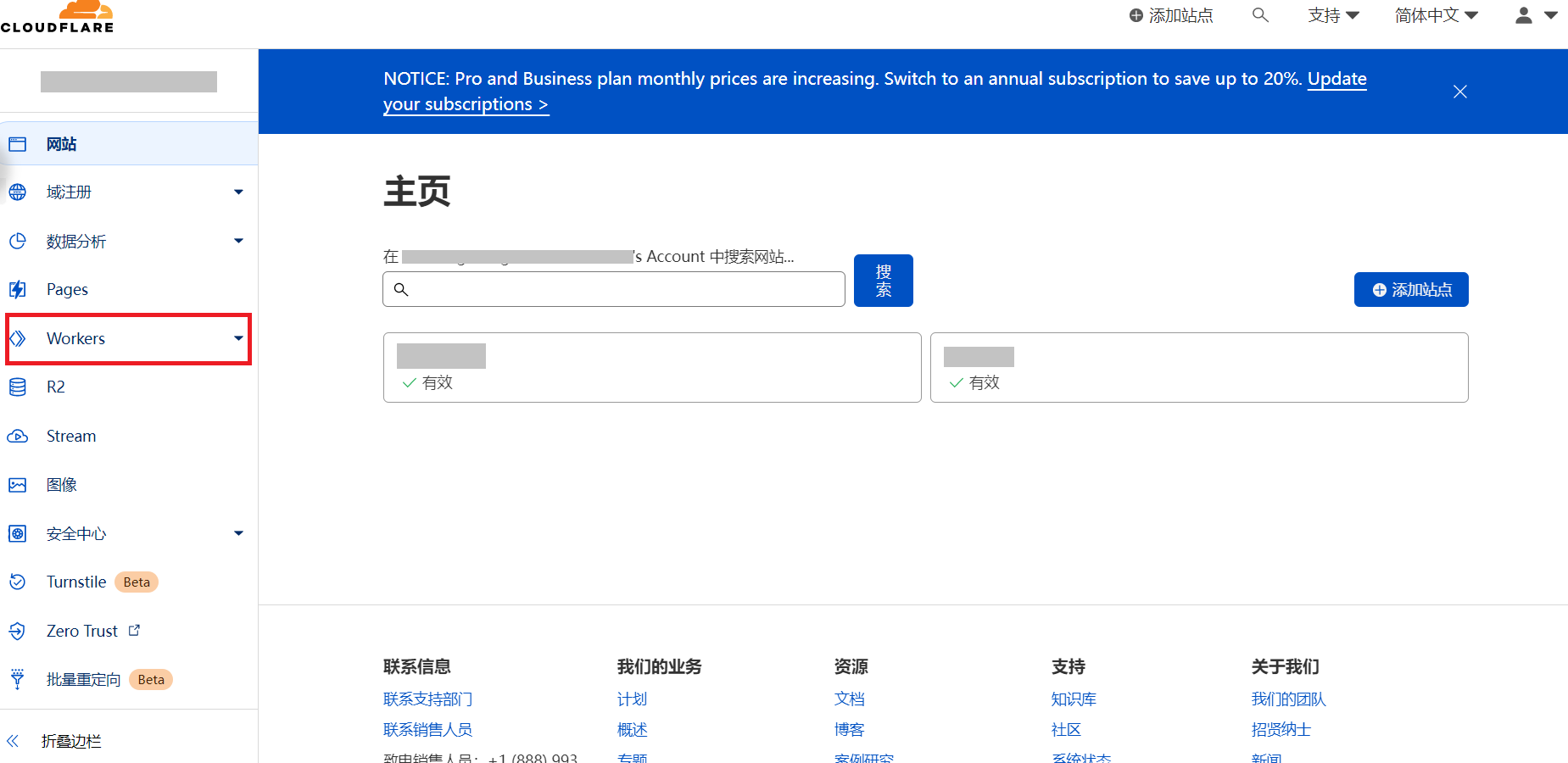
登录 cloudflare,点击 workers
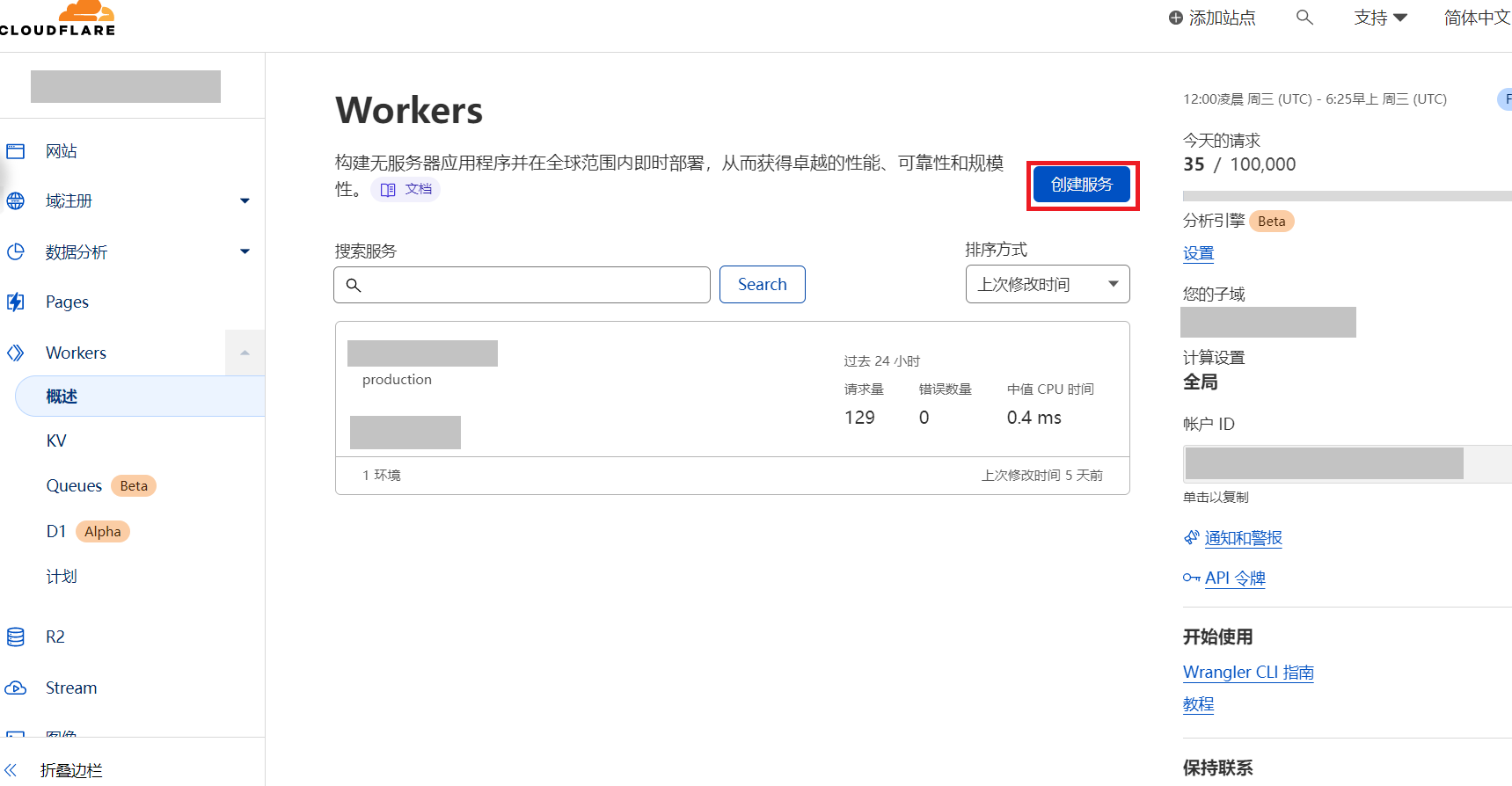
点击创建服务
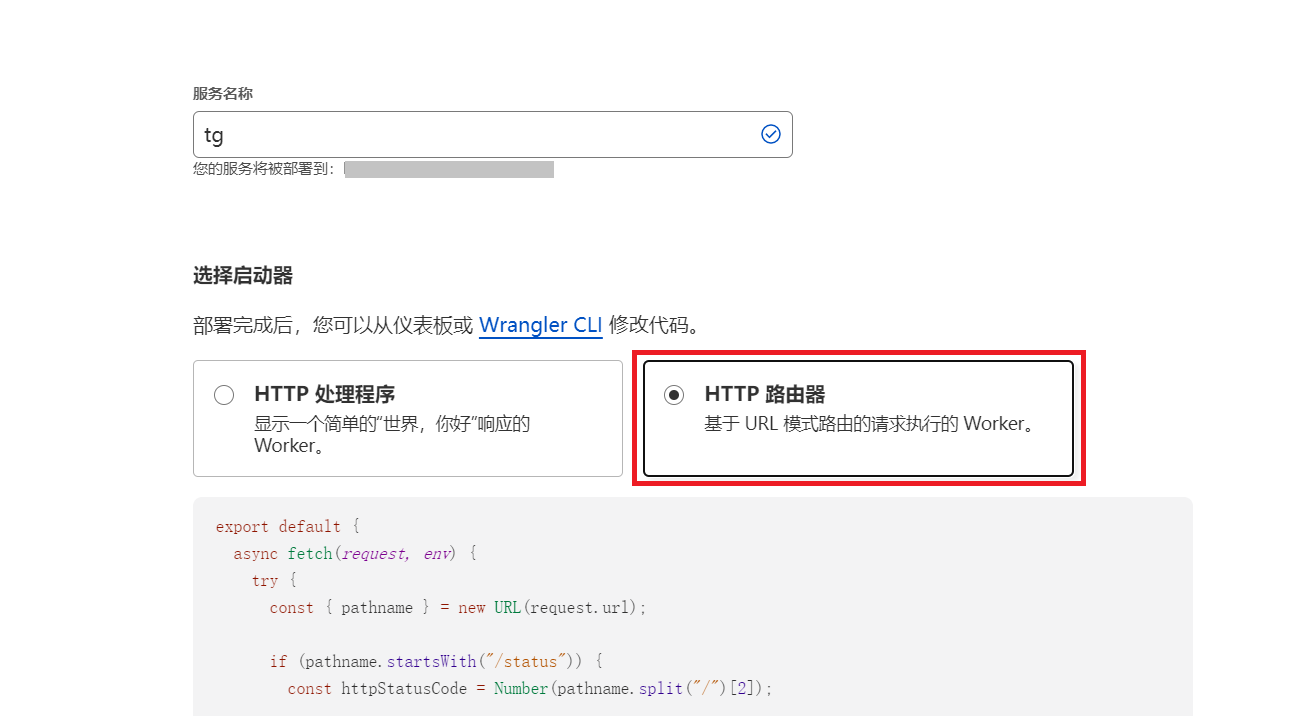
名称随意填写,但是下面需要选择 HTTP 路由器
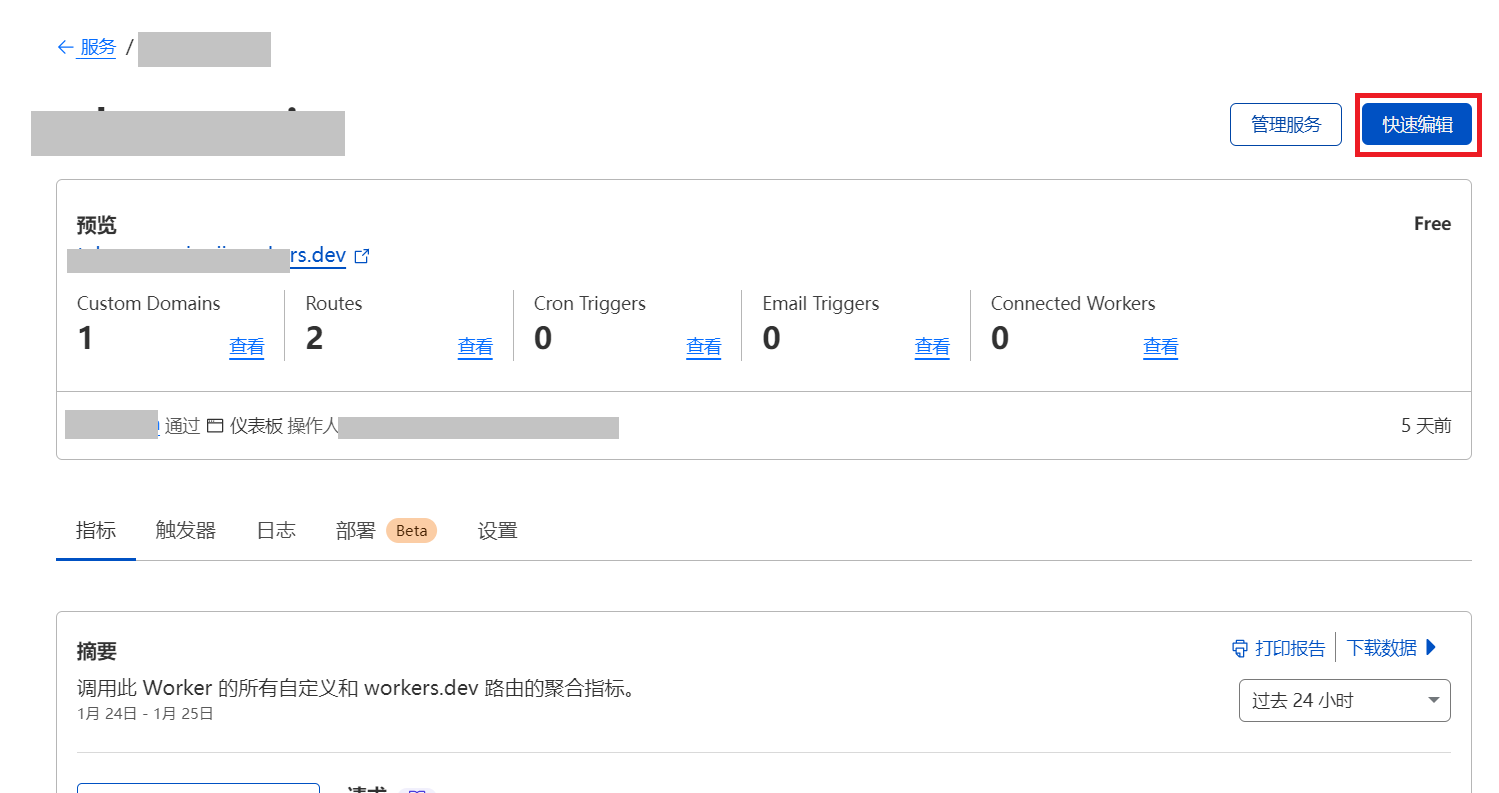
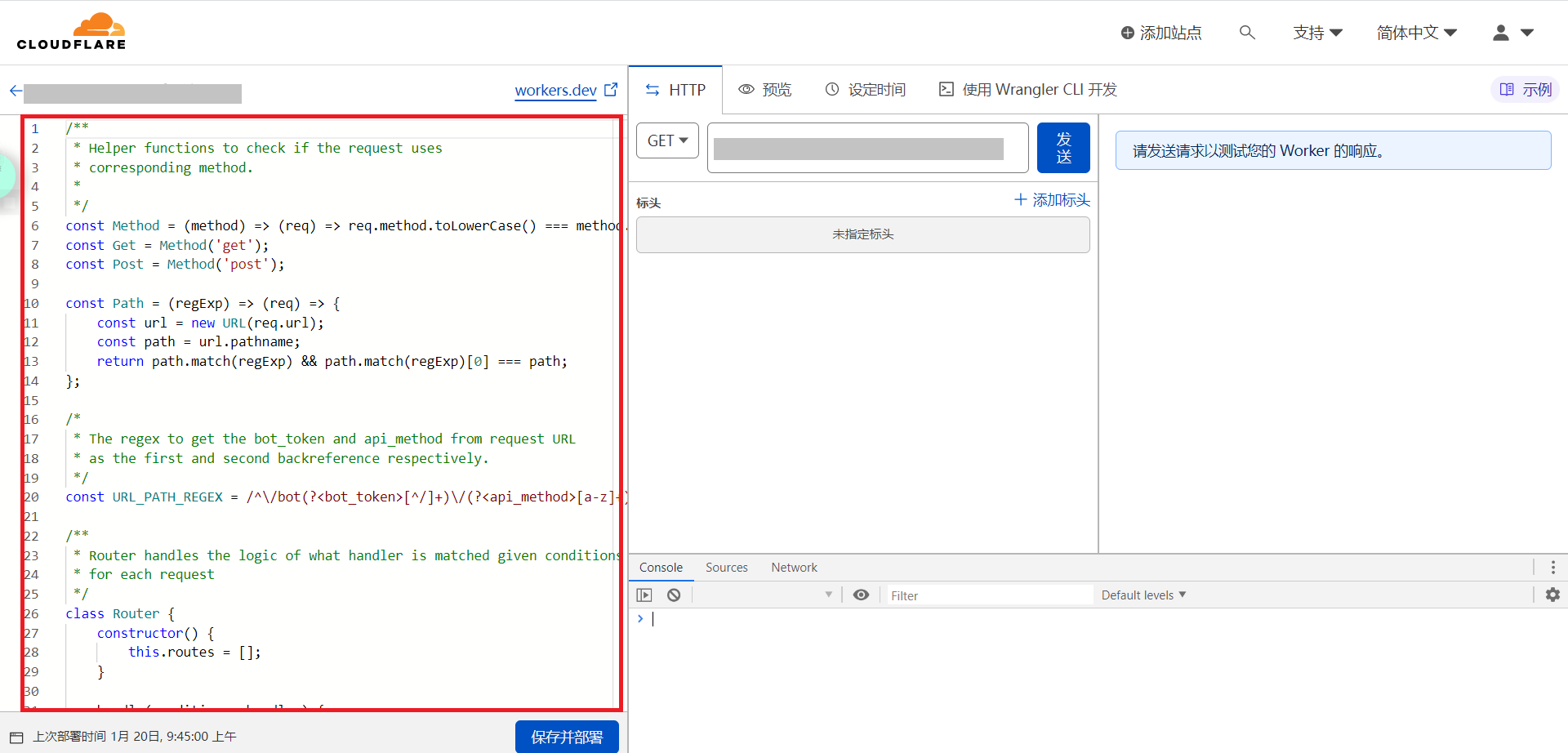
创建完成后,点击刚创建的 Worker,再点击快速编辑
删除红框处所有的代码,填入以下代码
/**
 * Helper functions to check if the request uses
 * corresponding method.
 *
 */
const Method = (method) => (req) => req.method.toLowerCase() === method.toLowerCase();
const Get = Method('get');
const Post = Method('post');

const Path = (regExp) => (req) => {
	const url = new URL(req.url);
	const path = url.pathname;
	return path.match(regExp) && path.match(regExp)[0] === path;
};

/*
 * The regex to get the bot_token and api_method from request URL
 * as the first and second backreference respectively.
 */
const URL_PATH_REGEX = /^\/bot(?<bot_token>[^/]+)\/(?<api_method>[a-z]+)/i;

/**
 * Router handles the logic of what handler is matched given conditions
 * for each request
 */
class Router {
	constructor() {
		this.routes = [];
	}

	handle(conditions, handler) {
		this.routes.push({
			conditions,
			handler,
		});
		return this;
	}

	get(url, handler) {
		return this.handle([Get, Path(url)], handler);
	}

	post(url, handler) {
		return this.handle([Post, Path(url)], handler);
	}

	all(handler) {
		return this.handler([], handler);
	}

	route(req) {
		const route = this.resolve(req);

		if (route) {
			return route.handler(req);
		}

		const description = 'No matching route found';
		const error_code = 404;

		return new Response(
			JSON.stringify({
				ok: false,
				error_code,
				description,
			}),
			{
				status: error_code,
				statusText: description,
				headers: {
					'content-type': 'application/json',
				},
			}
		);
	}

	/**
	 * It returns the matching route that returns true
	 * for all the conditions if any.
	 */
	resolve(req) {
		return this.routes.find((r) => {
			if (!r.conditions || (Array.isArray(r) && !r.conditions.length)) {
				return true;
			}

			if (typeof r.conditions === 'function') {
				return r.conditions(req);
			}

			return r.conditions.every((c) => c(req));
		});
	}
}

/**
 * Sends a POST request with JSON data to Telegram Bot API
 * and reads in the response body.
 * @param {Request} request the incoming request
 */
async function handler(request) {
	// Extract the URl method from the request.
	const { url, ..._request } = request;

	const { pathname: path, search } = new URL(url);

	// Leave the first match as we are interested only in backreferences.
	const { bot_token, api_method } = path.match(URL_PATH_REGEX).groups;

	// Build the URL
	const api_url = 'https://api.telegram.org/bot' + bot_token + '/' + api_method + search;

	// Get the response from API.
	const response = await fetch(api_url, _request);

	const result = await response.text();

	const res = new Response(result, _request);

	res.headers.set('Content-Type', 'application/json');

	return res;
}

/**
 * Handles the incoming request.
 * @param {Request} request the incoming request.
 */
async function handleRequest(request) {
	const r = new Router();
	r.get(URL_PATH_REGEX, (req) => handler(req));
	r.post(URL_PATH_REGEX, (req) => handler(req));

	const resp = await r.route(request);
	return resp;
}

/**
 * Hook into the fetch event.
 */
addEventListener('fetch', (event) => {
	event.respondWith(handleRequest(event.request));
});
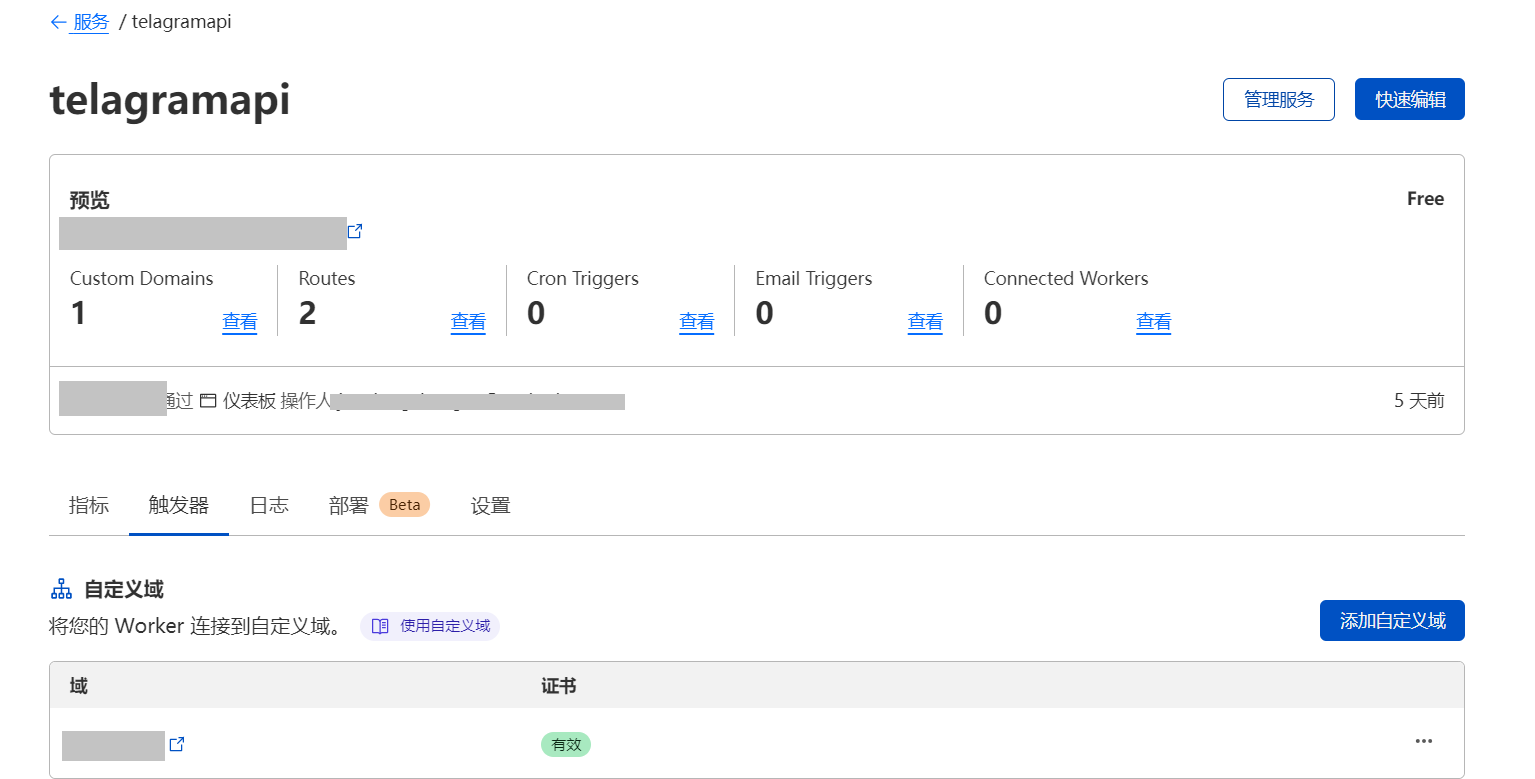
然后保存并部署,之后可以在触发器中添加自己的域名
使用
之后,只需要把 telegram api 地址替换成 https://yourdomain.xxx 即可
本文链接:
/archives/0JuyVWTx
版权声明:
本站所有文章除特别声明外,均采用 CC BY-NC-SA 4.0 许可协议。转载请注明来自
oriiのBlog!
喜欢就支持一下吧


打赏
 微信
微信
支付宝
 微信
微信
 支付宝
支付宝